The wellbeing break app that doesn’t ping, pop up, or interrupt.
Two costs office work hides
Sedentary days and constant interruption are the two daily health risks every workplace shares. Most wellbeing tools only treat one – and add to the other.
The body
Sitting for hours without breaks strains necks, backs, shoulders and eyes. The fix is to break up sitting every day, not as a one-off intervention.
The mind
Every interruption breaks focus. Research shows it can take over 20 minutes to fully refocus after being pulled out of a task – so wellbeing apps that ping, pop up and remind you to take a break end up costing the very focus they claim to protect.
No popups. No reminders. Nothing interrupting the work. Just short, instructor-led video breaks, placed quietly in each employee’s calendar every working day.
Three steps. Then it runs itself.
1 Set the basics.
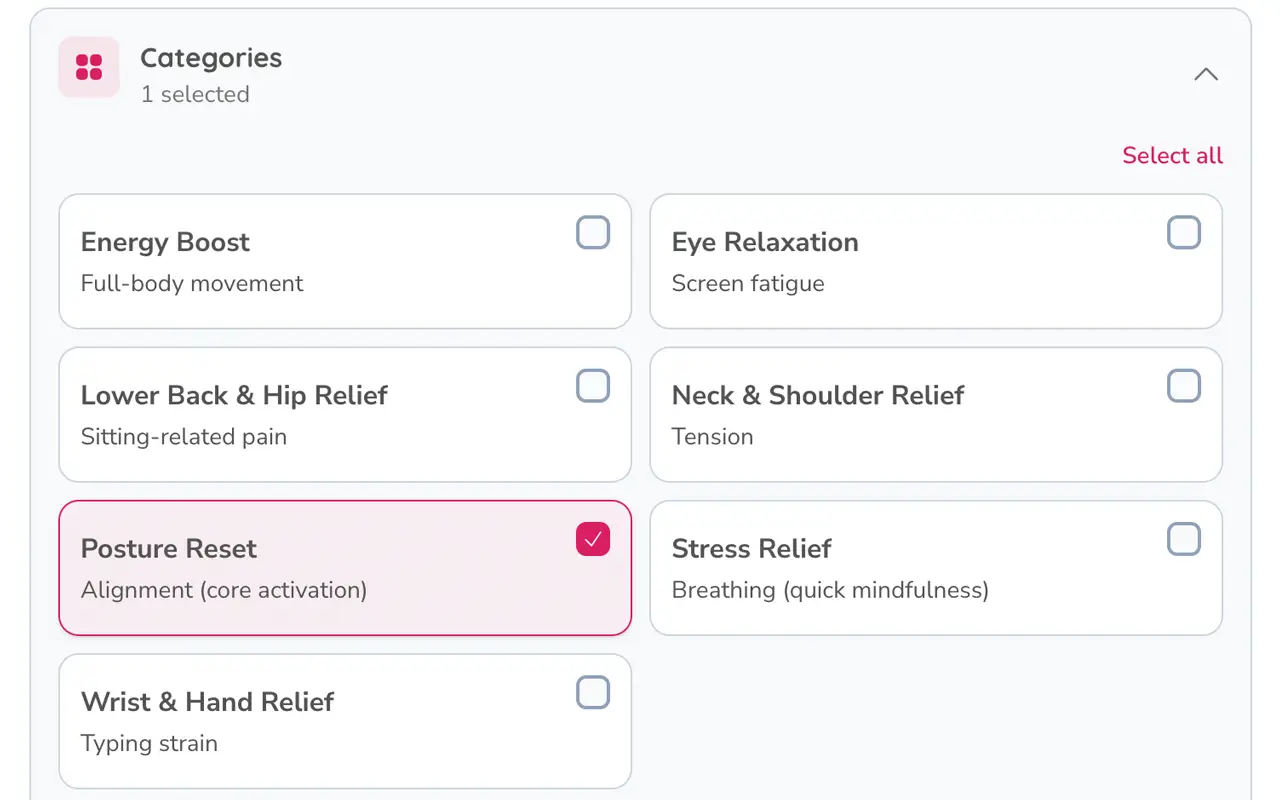
Work hours, breaks per day, and the categories that matter – neck, lower back, eyes, posture, breathing.
2 Pick a mode.
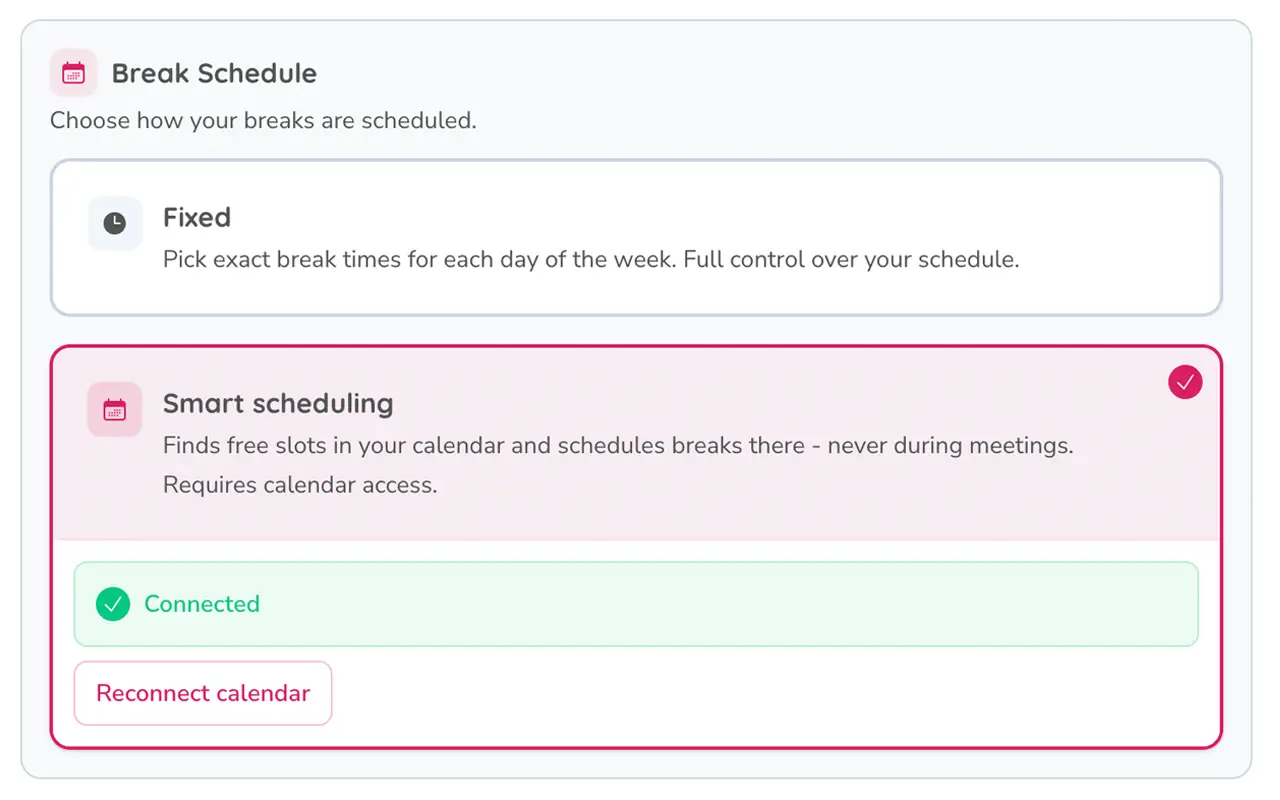
Smart Scheduling finds the best moments around real meetings. Fixed lets each employee set their own recurring times.
3 Take 1–3 minutes.
An instructor-led video at each scheduled break. Quick, calm, expert-led.
Built to disappear into the workday.
Lives in the work calendar
Breaks are scheduled around real meetings – never on top of them, and never blocking anything. Smart Scheduling finds the best moments automatically, or each employee picks their own.
Silent. Always.
The calendar is the only place we appear. No app pestering employees. No emails to ignore. Wellbeing that doesn’t compete with their work for attention.
Real movement, by a real expert
Every video filmed with Lucija, a movement specialist (MSc, PhD candidate). Demonstrated, not animated.
Built for HR, not added to your workload.
Nothing to install
One click and employees are in. No new passwords, no software to roll out, no IT ticket.
Privacy by default
GDPR-compliant, EU data hosting. Personal progress is private. No manager visibility into individual usage.
Wellbeing that fits any working day.
Short, instructor-led movement, exactly when their body needs it. No fitness baseline to meet. No daily reminders to dismiss. Each employee picks the categories that matter to them — neck, lower back, posture, eyes, breathing, mobility — saves favourites, and takes the breaks they want. Progress stays private.
Simple pricing. One price for your whole company.
No per-seat counting. No charge as adoption grows. You pay for your company size – every employee is eligible.
See exact pricing by company size
| Company size | Monthly |
|---|---|
| 1–24 employees | €85 |
| 25–49 employees | €130 |
| 50–99 employees | €215 |
| 100–199 employees | €345 |
| 200+ employees | Custom quote |
Prices ex VAT. Annual billing −15%. Priced by company size, not active usage.
Answers to the questions HR usually asks.
No. Breaks are scheduled in the work calendar around real meetings, never on top of them, and never blocking anything. The system never sends emails, push notifications or popups.
Pre-recorded. Every session is filmed once and available on demand – so employees take their break exactly when it’s scheduled, with no missed sessions or scheduling pressure.
GDPR-compliant, EU data hosting. Personal usage data stays private to each employee. No manager visibility into individual usage.
Minutes per employee – one click to sign in with Microsoft or Google, pick your categories, done. No app to install. Some organisations require IT to approve the app once before rollout; after that, employees just sign in.
Monthly or annual, invoiced per team size. We invoice in EUR, AUD, NZD, USD or GBP – VAT added where applicable.
Yes. Monthly plans cancel at the end of the current month. Annual plans cancel at the end of the term – no auto-renewal traps.
See Workday Wellbeing in action
Book a 20-minute walkthrough. We’ll show you the calendar integration, the content library, and how Workday Wellbeing fits into the working day.